
Gaming Console Repair in Delhi
Looking for a reliable gaming console repair service in Delhi? FindService.in connects you directly with verified console repair technicians, board-level electronics engineers and independent gaming repair shops across Delhi — PlayStation 5, PS4, PS3, Xbox Series X and S, Xbox One, Xbox 360 and Nintendo Switch repair, HDMI port replacement, no-display and no-signal faults, overheating and automatic shutdown, loud fan noise, thermal paste and thermal pad replacement, liquid metal reapplication, blinking blue, red or orange light faults, power supply unit repair and replacement, disc drive and laser lens problems, discs not reading or ejecting on their own, controller stick drift and button faults, charging port repair, HDD and SSD storage upgrades, corrupted system software, database rebuild, and full internal cleaning and servicing. A console is not an ordinary appliance. The boards are dense, the connectors are fragile, and one careless technician with too much heat or the wrong screwdriver can turn a two-thousand-rupee HDMI port job into a dead motherboard. That is why a verified, accountable specialist with proper equipment — an anti-static bench, a hot-air rework station, a microscope and genuine replacement parts — matters far more here than a low quote from a general mobile-repair counter. Delhi and NCR have the largest console installed base in North India, and the repair pattern reflects the city's dust and its extreme seasons. In Dwarka, Rohini, Pitampura, Janakpuri, Paschim Vihar, Uttam Nagar, Laxmi Nagar, Mayur Vihar and Preet Vihar there are huge numbers of PS4, PS3, Xbox 360, PS5 and Switch units, many bought from Nehru Place and grey-market sellers, so faults range from dust-choked heatsinks and dried thermal paste to poorly done previous repairs with excess solder, missing screws and torn ribbon cables. In Saket, Hauz Khas, Greater Kailash, Vasant Kunj, Noida and Gurgaon the units are newer and the requests are HDMI port replacement, SSD storage expansion, controller stick drift repair, fan noise reduction and full thermal servicing before the summer. Delhi's dust load is the biggest single cause of console failure here: fine dust packs the heatsink fins within a year, temperatures rise, the fan screams, and the console starts shutting down or throwing overheat warnings. Then the 45-degree summer removes whatever thermal headroom was left, and winter condensation in unheated rooms adds moisture to already dirty boards. Voltage spikes and generator switchovers in older colonies regularly kill power supply units and HDMI chips. Every technician listed here is manually verified by our team — there is no middleman, no call centre and no commission cut. You compare profiles, see which areas of Delhi each technician covers, and contact them directly by phone or WhatsApp to describe the fault, share a photo or a short video of the console behaviour, confirm the diagnosis charge, ask whether the repair happens at your home or needs workshop time, and get a clear estimate with a warranty period on the part and the labour before anyone opens the machine. The result is a transparent quote, a specialist who takes personal responsibility for the repair, and no surprise costs once the console is already apart.
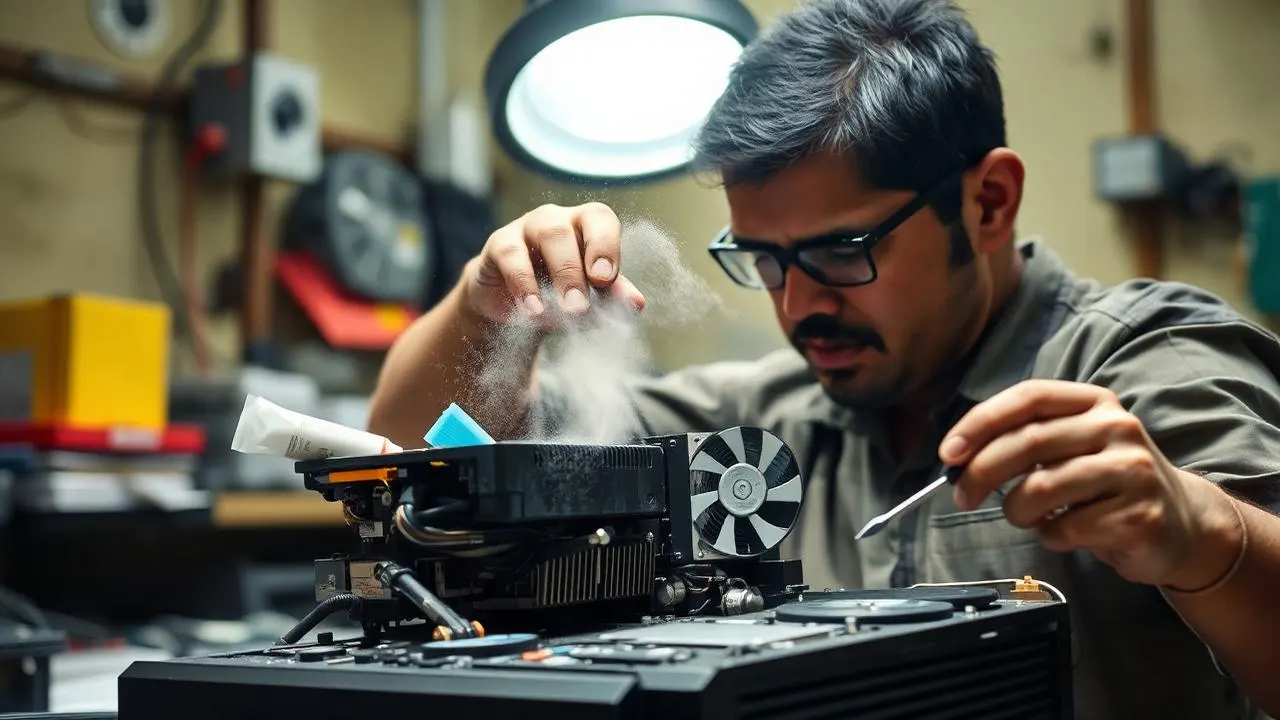
Top Gaming Console Repair Providers in Delhi
Loading providers…
Why Choose a Verified Gaming Console Repair Service?
Proper tools, not a mobile-repair counter
Console boards need an anti-static bench, a hot-air rework station, a preheater and a microscope. Verified specialists have them; a general repair counter usually does not, and the damage from improvised work is often permanent.
Honest diagnosis first
A no-display fault may be a cable, a port, an encoder chip or a dead board — four very different prices. A verified technician diagnoses before quoting instead of guessing at your cost.
Genuine and tested parts
Cheap fans, clone laser assemblies and no-name PSUs fail within months. Verified professionals tell you what grade of part they are fitting and give a warranty on it.
Your data and account stay safe
Game saves, downloaded libraries and account logins matter. A verified technician discusses storage handling, backups and account sign-out before touching internal drives.
Written warranty on the repair
Board-level work should carry a stated warranty period on both part and labour. Verified professionals give it in writing — anonymous shops rarely do.
Accountability if it comes back
If the same fault returns, you know exactly who did the work and how to reach them. That single difference is worth more than a small price gap.
Why Choose FindService.in?
- Every console technician profile is manually verified by our team
- You contact the specialist directly — no middleman, no call centre, no commission
- Coverage across all major residential and commercial areas of Delhi
- Compare specialisation — PlayStation, Xbox, Nintendo and board-level work
- Ask for diagnosis charge, part cost, labour and warranty in writing before booking
- Home visits for cleaning and controller work, workshop service for board repairs
- Independent specialists, small workshops and full electronics repair labs in one place
- Free for customers, and free for genuine technicians to list their service
Common Gaming Console Problems
No display or no signal
A black screen with the console powered on usually means a damaged HDMI port, a failed HDMI encoder chip or a cable and TV input issue. Testing with another cable and input first can save you a repair bill entirely.
Overheating and sudden shutdown
Consoles that shut down after thirty to sixty minutes almost always have dried thermal paste and a heatsink packed with dust. Full thermal servicing restores normal temperatures and stops the shutdown loop.
Very loud fan noise
A console that sounds like a jet engine is fighting heat. Cleaning, fan replacement and fresh thermal compound usually bring it back to near-silent operation.
Blinking blue, red or orange light
Standby light fault codes point to power supply failure, a board fault or an overheating shutdown. The exact blink pattern tells a trained technician a lot before the console is even opened.
Console will not turn on
A completely dead console is usually a failed power supply unit, a blown fuse after a surge, or a shorted component on the board. Surge damage is very common in Indian homes without proper protection.
Disc not reading or auto-ejecting
Worn laser lenses, dirty optics, failed drive belts and faulty eject sensors cause discs to spin without loading, or to eject on their own repeatedly.
Controller stick drift
Characters moving on their own is caused by worn analogue stick potentiometers or dust inside the module. Module replacement is a quick, affordable fix compared to buying a new controller.
Controller will not charge or pair
Damaged charging ports, worn cables, dead batteries and Bluetooth pairing faults are all common and usually repairable at low cost.
Storage full or drive failing
Slow loading, install errors and corrupted downloads often mean the internal drive is failing or full. An SSD upgrade or storage expansion solves both problems at once.
Corrupted system software
Error codes at startup, safe-mode loops and 'database corrupted' messages usually follow a power cut during an update. Database rebuild or a firmware reinstall generally recovers the console.
Wi-Fi or network problems
Weak Wi-Fi, dropped connections and failed downloads can come from a damaged antenna connector inside the console, not just from your router.
Liquid or humidity damage
Spills and coastal humidity corrode board traces and connector pins. Fast professional cleaning and corrosion treatment can save a board that would otherwise be lost.
Brands Commonly Serviced
Brand and console names are shown only to indicate the types of devices commonly serviced by technicians listed on FindService.in. We are not an authorised service centre for Sony, Microsoft, Nintendo or any other manufacturer and have no affiliation with them. For consoles still under warranty, contact the official brand service centre first, because third-party repair will void the remaining warranty.
Where Console Repair Is Commonly Needed in Delhi
Service Types
Diagnosis and health check
Full inspection of power, video output, temperatures, fan behaviour, drive health and controller function, with a written explanation of what has actually failed before any repair is quoted.
Thermal servicing
Complete disassembly, dust removal from heatsink fins and fans, replacement of thermal paste and thermal pads, and on PS5 units careful liquid metal reapplication where required.
HDMI port replacement
Board-level removal of the damaged port with a hot-air rework station and fitting of a new port under a microscope, followed by continuity testing and a full output test.
Power supply repair
Repair or replacement of the internal PSU after surge damage or component failure, including fuse, capacitor and connector checks so the fault does not simply return.
Disc drive and laser service
Laser lens cleaning or replacement, drive gear and belt repair, eject sensor fixes and full read testing across game and media discs.
Storage upgrade
Internal HDD to SSD upgrade or NVMe expansion with correct heatsink fitment, system reinstallation and transfer of games and saved data where possible.
Controller repair
Analogue stick module replacement for drift, button and rubber membrane replacement, trigger repair, charging port replacement and battery replacement.
System software recovery
Safe-mode recovery, database rebuild, firmware reinstallation and corruption repair after failed updates or power cuts, with attention to preserving saved games.
Board-level micro-soldering
Component-level repair of shorted rails, damaged traces, blown fuses, failed MOSFETs and connector pads, done under magnification by an experienced engineer.
Liquid and corrosion treatment
Ultrasonic or manual board cleaning, corrosion removal, connector replacement and protective treatment for consoles affected by spills or coastal humidity.
Gaming cafe maintenance
Scheduled preventive servicing for cafes and rental operators running consoles for long hours — cleaning, thermal refresh, controller servicing and quick-response fault support.
Pre-purchase inspection
Independent health check of a second-hand console before you buy it, covering temperatures, previous repair evidence, drive health, ports and controller condition.
Areas Covered in Delhi
Verified gaming console repair technicians on FindService.in serve homes, gaming cafes and offices across Delhi, including Dwarka, Rohini, Pitampura, Janakpuri, Rajouri Garden, Saket, Hauz Khas, Vasant Kunj and nearby neighbourhoods. Simple jobs like cleaning, thermal servicing and controller repair are often done at home, while board-level work such as HDMI port replacement needs a proper workshop — ask about pickup and drop before booking.
Factors Affecting Repair Cost
Type of fault
Cleaning, controller and thermal jobs are the cheapest. Drive and fan replacements sit in the middle. HDMI port and board-level chip work costs the most because of the skill and equipment involved.
Console generation
Parts for current-generation consoles cost more and are harder to source than PS4 or Xbox 360 spares, so the same fault can be priced very differently across models.
Part quality
Original or high-grade parts cost more than clones but last far longer. Always ask which grade you are being quoted for and what warranty comes with it.
Board-level versus module replacement
Replacing a whole board is fast but expensive; repairing the failed component is cheaper but needs a skilled engineer with a rework station and microscope.
Previous repair damage
Consoles opened before by an inexperienced technician often have stripped screws, torn ribbon cables and excess solder, and cleaning that up adds time to the job.
Liquid or corrosion damage
Corroded boards need cleaning, trace repair and testing with no guaranteed outcome, so these jobs are quoted higher and with clearer risk warnings.
Home visit versus workshop
Cleaning and controller work can be done at home. Board-level repair needs workshop equipment, and pickup and delivery may be charged separately.
Turnaround time
Same-day or express repairs carry a premium, especially when a part has to be sourced quickly from another part of the city.
Warranty offered
A repair with a longer stated warranty usually costs a little more, and that is generally worth paying for on board-level work.
Storage and data handling
Transferring games and saved data during a storage upgrade takes hours of copying, and that time is part of the quoted price.
* All prices are set independently by each listed technician. FindService.in does not set, collect or guarantee prices. Confirm diagnosis charge, part cost, labour and warranty in writing before any work begins.
Maintenance Tips
- 1Keep at least ten centimetres of clear space around every side of the console and never place it inside a closed cabinet.
- 2Stand the console away from carpets, curtains and soft surfaces that block the intake vents.
- 3Get the internals cleaned once a year, and every six months in dusty areas or if you own pets.
- 4Replace thermal paste every two to three years on a heavily used console, before overheating starts.
- 5Always use a surge protector or a good spike guard — power surges are the leading cause of dead consoles in India.
- 6Shut the console down properly instead of switching off the mains, so the system database does not corrupt.
- 7Never move or tilt the console while a disc is spinning; that is how laser assemblies and discs get damaged.
- 8Unplug the HDMI cable gently and support the port, because HDMI damage is almost always caused by yanking the cable.
- 9Keep drinks well away from the console and controllers; a single spill can end a board.
- 10Charge controllers with a good-quality cable and avoid playing with the cable pulled tight at an angle.
- 11Enable cloud saves or copy saved games to a USB drive so a drive failure never costs you your progress.
- 12Do not run system updates during a power cut window; interrupted updates are a common cause of corrupted firmware.
Repair or Replace?
Repair the console when the fault is thermal, a controller issue, a disc drive problem, a power supply failure or an HDMI port — these are all a small fraction of the cost of a new console and can add years of life to the machine. Think harder about replacing when the motherboard itself has failed on an older model, when the quoted repair crosses roughly half the price of a good second-hand unit of the same generation, when a console has already been repaired twice for the same fault, or when parts for that generation have become difficult to source. Ask the technician to state clearly whether the fault is board-level or module-level — that one answer usually decides whether repairing makes financial sense.
How to Choose the Right Technician
- 1Ask which consoles the technician specialises in — PlayStation, Xbox, Nintendo or all three.
- 2Confirm they own a hot-air rework station and microscope if the job is board-level.
- 3Get the diagnosis charge in writing, and ask whether it is adjusted against the repair cost.
- 4Ask for part grade — original, refurbished or clone — and the warranty on each.
- 5Confirm whether the repair happens at your home or needs workshop time, and how long it takes.
- 6Ask how saved games and internal storage will be handled during the repair.
- 7Request photos or a video of the board work if the console is taken to a workshop.
- 8Avoid anyone who quotes a fixed price for a no-display fault without seeing the console.
- 9Check that the technician has repaired your exact model before, not just similar ones.
- 10Prefer technicians who explain the fault in plain language and answer questions patiently.
Services Offered
- PlayStation 5, PS4 and PS3 repair and full servicing
- Xbox Series X, Series S, Xbox One and Xbox 360 repair
- Nintendo Switch and Switch Lite repair, including dock and joy-con faults
- HDMI port replacement and HDMI encoder chip repair
- No display, no signal and black screen fault diagnosis
- Overheating, thermal shutdown and loud fan noise servicing
- Thermal paste, thermal pad and liquid metal replacement
- Complete internal dust cleaning and heatsink servicing
- Power supply unit repair and replacement, no-power fault repair
- Blinking blue, red, orange and amber light fault repair
- Disc drive repair, laser lens replacement and auto-eject faults
- Controller repair — stick drift, sticky buttons, triggers and charging ports
- HDD and SSD storage upgrade and expansion with data transfer
- Corrupted system software, database rebuild and firmware recovery
- Board-level micro-soldering and component-level repair
- Liquid damage assessment, board cleaning and corrosion treatment
- USB port, charging port and audio jack replacement
- Wi-Fi, Bluetooth and network connectivity fault repair
- Pre-purchase inspection and health check for second-hand consoles
- Annual preventive servicing for home consoles and gaming cafes
Frequently Asked Questions
How much does gaming console repair cost in Delhi?
It depends completely on the fault. Controller stick drift, cleaning and thermal servicing are the cheapest jobs; disc drive, fan and power supply work sits in the middle; HDMI port replacement and board-level chip repair cost the most. Ask two or three verified technicians for a written estimate covering diagnosis charge, part cost, labour and warranty.
My PS5 or Xbox shuts down after a while. What is wrong?
That is almost always overheating. Dust packs the heatsink and the thermal paste dries out, so the console hits its thermal limit and protects itself by shutting down. A full thermal service — cleaning, new paste and pads, fan check — usually solves it completely.
Can a damaged HDMI port be repaired?
Yes. HDMI port replacement is one of the most common console repairs and is done at board level with a hot-air rework station and microscope. It is skilled work, so use a specialist — a poorly done attempt can lift pads and damage the board permanently.
Will I lose my games and saved data?
Most repairs do not touch the internal drive at all. For storage upgrades or drive failures, data can often be transferred, and cloud saves or a USB backup protect you completely. Discuss data handling with the technician before the repair begins.
How long does a console repair take?
Cleaning, thermal servicing and controller repairs are usually same-day and sometimes done at your home. HDMI port replacement, power supply repair and board-level work typically need one to three days in a workshop, longer if a part has to be sourced.
Is third-party repair safe for a console under warranty?
No — opening the console voids the remaining manufacturer warranty. If your console is still in warranty, contact the official service centre first. Third-party repair makes sense once the warranty period is over or when official service is not practical.
Why does my controller move by itself?
That is stick drift, caused by worn potentiometers or dust in the analogue stick module. Replacing the stick module is a quick, low-cost repair and is almost always cheaper than buying a new controller.
Can a console damaged by a power surge be saved?
Often yes. Surges usually kill the power supply unit or a fuse before the main board, and replacing the PSU brings the console back. If the surge reached the board, component-level repair may still be possible. Use a spike guard afterwards to prevent a repeat.
Can I upgrade the storage on my console?
Yes. PS5 supports NVMe SSD expansion with a suitable heatsink, and PS4, Xbox One and Xbox 360 internal drives can be replaced or upgraded to SSDs. A technician handles the fitting, formatting, system reinstall and data transfer.
Do technicians repair Nintendo Switch consoles too?
Many do. Common Switch jobs include joy-con drift repair, charging port replacement, screen replacement, dock and video output faults, fan cleaning and battery replacement. Confirm Switch experience before booking, as it needs different tooling from PlayStation and Xbox work.
Do these technicians cover my area in Delhi?
Each verified profile lists the areas that technician serves across Delhi. Check the coverage list for your locality and confirm pickup, delivery or visit charges before booking, since board-level repairs usually require the console to go to a workshop.
What warranty should I expect on a console repair?
Ask for a stated warranty on both the part and the labour, and get it in writing on WhatsApp or a bill. Reputable technicians offer a clear period on board-level work; anyone who refuses to state one is worth avoiding.
Related Articles
Desktop Computer Repair Guide — DIY Fixes & Tips
Complete guide to desktop computer repair. Learn to fix common issues like boot failures, slow performance, overheating, and hardware upgrades.
Repair & TroubleshootingFix Laptop Overheating Fast at Home — 10-Minute Guide
Learn how to fix laptop overheating at home in just 10 minutes. Clean vents, use cooling pads, adjust settings, and more practical tips.
Repair & TroubleshootingTV Repair — Common Issues and Solutions in India
Guide to common TV problems and their solutions in India. Covers LED, LCD, and Smart TV issues including no display, sound problems, and more.
Repair & Troubleshooting7 Laptop Maintenance Tips to Avoid Costly Repairs
Follow these 7 simple laptop maintenance tips to prevent costly repairs, extend battery life and keep your laptop fast for years.
Are you a console repair technician in Delhi?
FindService.in lists verified gaming console repair specialists, board-level electronics engineers and independent repair workshops across Delhi. Listing is free, customers contact you directly, and we never take a commission on your work.
- Direct customer calls. Enquiries come straight to your phone and WhatsApp — no lead resale, no bidding wars, no middleman.
- Zero commission. You keep every rupee you charge for the repair. We do not take a cut.
- Verified badge. A manually verified profile earns trust quickly for board-level work, where customers are rightly cautious.
- Area-level visibility. Show up on Delhi pages for the localities you actually cover, so the enquiries you receive are relevant.
Need your console repaired in Delhi?
Browse verified gaming console repair specialists serving your area of Delhi, compare their experience with PlayStation, Xbox and Nintendo hardware, and contact them directly by phone or WhatsApp. Describe the fault, share a short video, confirm the diagnosis charge and warranty in writing, and get back to playing — with no middleman and no commission.
Explore More
Other services in Delhi
Gaming Console Repair in other cities
- Gaming Console Repair in Hyderabad
- Gaming Console Repair in Bangalore
- Gaming Console Repair in Chennai
- Gaming Console Repair in Mumbai
- Gaming Console Repair in Kolkata
- Gaming Console Repair in Pune
- Gaming Console Repair in Ahmedabad
- Gaming Console Repair in Jaipur
- Gaming Console Repair in Lucknow
- Gaming Console Repair in Chandigarh
- Gaming Console Repair in Kochi
- Gaming Console Repair in Coimbatore
Browse All Services in Delhi
Pick another category to find trusted local providers across Delhi.