
Laptop Repair in Hyderabad
Looking for a trusted laptop repair service in Hyderabad? FindService.in connects you directly with verified local technicians and multi-brand laptop service centres who handle screen replacement, motherboard repair, keyboard replacement, battery replacement, charging port repair, hinge repair, SSD upgrades, RAM upgrades, data recovery, virus removal, Windows and macOS software repair, and complete overheating diagnostics. From Ameerpet, Kukatpally and Madhapur to Gachibowli, Kondapur, Begumpet, Secunderabad, Dilsukhnagar, LB Nagar, Mehdipatnam, Uppal, ECIL and Miyapur, experienced professionals are available for on-site diagnosis, doorstep pickup and drop, workshop-level chip-level repair and quick same-day fixes for common issues. Whether you own a Dell, HP, Lenovo, Acer, ASUS, MSI, Apple MacBook, Microsoft Surface, Samsung, Sony, Toshiba or Huawei laptop, technicians listed here are comfortable with mainstream consumer models, business laptops, ultrabooks and gaming laptops. Every provider is manually verified by our team — there is no middleman, no call centre and no commission cut. You compare profiles, see the areas each technician covers, and contact them directly by phone or WhatsApp to describe the issue, share photos, get a clear quote and book a convenient time. The result: faster response, transparent pricing and a real technician who takes ownership of your device.
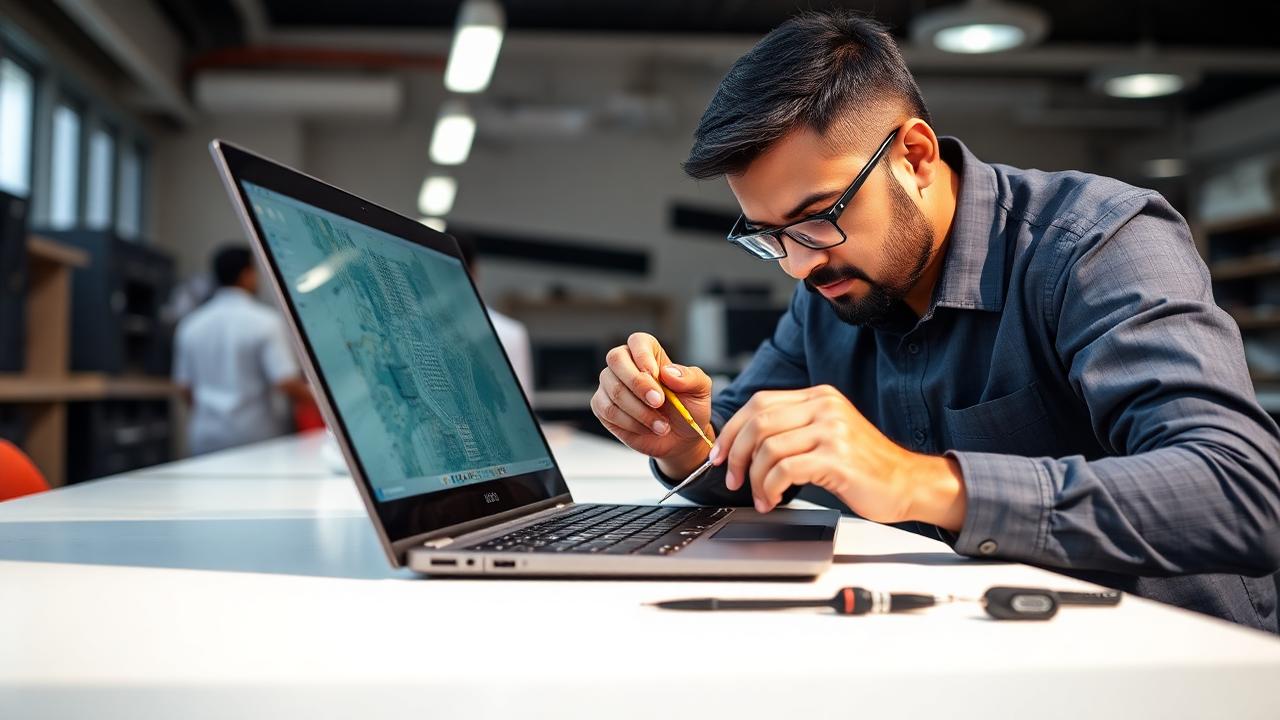
Top Laptop Repair Providers in Hyderabad
Loading providers…
Why Choose a Verified Laptop Repair Service?
Multi-brand laptop expertise
Verified technicians in Hyderabad routinely repair Dell, HP, Lenovo, Acer, ASUS, MSI, Apple MacBook, Microsoft Surface, Samsung, Sony, Toshiba and Huawei laptops.
Chip-level repair capability
Experienced professionals can diagnose and fix motherboard faults, BGA chip issues, no-power boards, no-display boards and short circuits — not just board swaps.
Genuine or OEM-equivalent parts
Verified technicians clearly explain whether they are fitting an original, OEM-equivalent or high-quality compatible part before you approve the repair.
Doorstep pickup & drop
Many providers offer sealed pickup from your home or office, workshop-level repair and safe return delivery across Hyderabad.
Transparent pricing
You discuss the diagnosis, parts and labour directly with the technician and receive a clear quote before any work starts.
Fast turnaround
Common repairs — battery, keyboard, RAM upgrade, SSD upgrade, software reload — are frequently completed the same day.
Data privacy & safe handling
Reputable technicians take a data backup, use anti-static tools and hand back all replaced parts and screws.
Direct contact — no middleman
Speak to the technician on phone or WhatsApp, share pictures of the issue and get a real response — no call centre routing.
Why Choose FindService.in?
- Manually verified laptop repair providers in Hyderabad
- Direct phone & WhatsApp contact — no lead reselling
- No middleman, no booking fee, no commission cut
- Free comparison across multiple providers
- Local Hyderabad technicians who know your area
- Doorstep and workshop-level repair options
- Same-day or next-day response for most common issues
Common Laptop Problems
Laptop not turning on
No power at all is usually a charger, DC jack, battery, RAM or motherboard fault — a proper diagnosis is essential.
Screen flickering or no display
Loose display cable, damaged LCD, faulty GPU or backlight failure can all cause flicker or a blank screen.
Broken or cracked screen
Physical damage to the LCD or touch digitiser requires a matching panel replacement for your exact model.
Keyboard not working
Sticky keys, dead keys or an unresponsive keyboard often need keyboard replacement or ribbon reseating.
Battery not charging or drains fast
A worn battery, faulty charger or damaged charging circuit can cause poor backup or no charging.
Charging port loose
A wobbly or intermittent DC jack usually needs port replacement and sometimes board-level soldering.
Overheating & fan noise
Dust build-up, dried thermal paste or a failing fan causes high CPU temperatures, throttling and sudden shutdowns.
Slow performance & freezing
Aging hard disk, low RAM, malware or a bloated Windows install can make the laptop feel unusable.
Wi-Fi not connecting
Faulty Wi-Fi card, outdated drivers or antenna wire issues after a repair are common causes.
Blue screen / boot loop
Corrupt Windows files, failing SSD, bad RAM module or driver conflicts are the usual suspects.
Broken hinge or loose lid
Cracked plastics around the hinge need panel replacement or reinforcement to avoid further screen damage.
Liquid spill damage
Prompt cleaning and board-level inspection can often save a laptop after a water, tea or coffee spill.
Brands Commonly Serviced
The providers listed on FindService.in are independent laptop repair professionals and multi-brand service centres who commonly repair these brands. FindService.in is not an authorised service centre for any manufacturer unless a specific provider explicitly states so on their profile. For in-warranty devices, we recommend contacting the brand's official service centre first.
Where Laptop Repair Is Commonly Needed
Service Types
Screen Replacement
Matching LED, IPS, OLED or touch panel replacement for your exact model with proper cable and bezel refit.
Motherboard & Chip-Level Repair
No-power, no-display, no-charge and shorted board diagnosis with component-level soldering where possible.
Battery Replacement
Original or OEM-equivalent battery replacement with health check and calibration.
Keyboard & Trackpad Repair
Full keyboard replacement, key cap repair, trackpad replacement and palmrest work.
Storage & Memory Upgrades
SSD upgrade, HDD to SSD cloning, NVMe migration and RAM upgrade with compatibility check.
Data Recovery
Logical and physical data recovery from failing HDDs, SSDs, corrupted partitions and accidentally formatted drives.
Software & OS Reload
Windows or macOS reinstallation, driver setup, Office and antivirus installation, and slow-laptop tuning.
Virus & Malware Removal
Deep clean-up of ransomware, adware and browser hijackers with a hardened security setup.
Overheating & Cooling Service
Fan cleaning, dust removal, thermal paste change and optional liquid metal application on supported models.
Areas Covered in Hyderabad
Technicians listed here typically serve several neighbouring localities across Hyderabad and Secunderabad. Many will travel to nearby areas for on-site diagnosis or offer sealed pickup and drop for workshop-level repair. Confirm exact coverage, visit charges and turnaround directly with the provider before booking.
Factors Affecting Repair Cost
Brand & model
MacBook, Surface, gaming and ultrabook parts cost more than mainstream Dell, HP, Lenovo, Acer or ASUS models.
Type of issue
A software reinstall or fan cleaning costs far less than a screen, motherboard or hinge assembly replacement.
Spare parts required
Original OEM parts, especially display panels and batteries, are priced higher than compatible equivalents.
Labour & complexity
Chip-level board repair, hinge frame work and liquid spill recovery involve more hours and specialised skill.
Age of the laptop
Older models may need harder-to-source parts, which can raise both price and turnaround time.
Doorstep vs workshop
On-site visits carry a visit charge; complex jobs are usually cheaper and safer when handled at the workshop.
Warranty status
In-warranty devices are best routed through the brand's authorised service centre to keep warranty valid.
Data recovery scope
Successful data recovery pricing depends on the drive type, failure mode and whether clean-room work is needed.
We do not publish fixed laptop repair prices. Ask the technician for a clear written or WhatsApp quote after diagnosis that lists parts and labour separately, and get approval in writing before any board-level or panel replacement work begins.
Maintenance Tips
- 1Clean the fan vents and use a cooling pad — never block the exhaust with a bed or cushion
- 2Get the thermal paste changed every 18–24 months, especially for gaming laptops
- 3Do not fully drain the battery — plug in around the 20% mark and unplug near 80–90%
- 4Use a good surge protector or a laptop UPS in areas with unstable voltage
- 5Keep the laptop away from direct sunlight, liquids and dusty environments
- 6Install Windows updates, security patches and driver updates on time
- 7Run a lightweight antivirus and avoid pirated software or unverified downloads
- 8Back up important data to an external SSD or the cloud at least once a month
- 9Carry the laptop in a padded bag and never lift it by the display
- 10Get a professional internal cleaning once a year to prevent dust-related overheating
Repair or Replace?
If your laptop is less than 4–5 years old and the total repair cost is under roughly one-third of a comparable new model, repair is usually the smarter choice — especially for battery, keyboard, SSD, RAM, fan cleaning or software issues. Replacement starts making sense when the motherboard fails on an older machine, when the screen and battery both need replacement at the same time, when spare parts for a discontinued model are no longer easy to source, or when day-to-day performance is holding back your work even after upgrades. A verified technician can inspect the laptop and tell you honestly whether a targeted repair will keep it running reliably for another 2–3 years, or whether investing in a new device makes more financial sense.
How to Choose the Right Technician
- 1Prefer technicians with proven experience on your specific brand — MacBook, Dell, HP, Lenovo, ASUS, Acer, MSI, Surface
- 2Confirm whether the visit or diagnostic charge is adjusted against the final repair bill
- 3Ask for a written or WhatsApp quote after diagnosis that lists parts and labour separately
- 4Insist on genuine or OEM-equivalent parts and check the printed serial or box before fitting
- 5Ask about warranty on both spare parts and labour — 30 to 90 days is standard
- 6Compare at least two providers before approving expensive work such as motherboard or screen replacement
- 7Back up your data before handing over the laptop or ask the technician to image the drive first
- 8Prefer technicians who offer doorstep pickup, sealed transport and a proper service receipt
Services Offered
- Laptop screen & display replacement (LED, IPS, OLED, touch)
- Motherboard & chip-level repair
- Keyboard replacement & individual key repair
- Trackpad replacement & palmrest repair
- Battery replacement (original & OEM-equivalent)
- Charging port / DC jack repair
- Laptop hinge repair & body reinforcement
- SSD upgrade & HDD to SSD cloning
- RAM upgrade & memory diagnostics
- Laptop data recovery from HDD & SSD
- Virus removal, malware clean-up & Windows reinstallation
- Overheating fix — thermal paste, fan cleaning & liquid metal service
Frequently Asked Questions
How long does a laptop screen replacement take in Hyderabad?
Most screen replacements are completed within 1–3 hours once the matching panel is available. Rare models or high-resolution touch panels may need 1–2 days to source.
Do laptop repair technicians provide warranty on repairs?
Yes, most verified providers on FindService.in offer 30–90 days warranty on parts and labour. Always confirm the exact warranty terms in writing before approving the repair.
Is doorstep laptop repair available across Hyderabad?
Many technicians listed here offer on-site diagnosis for common issues and sealed pickup and drop for workshop-level repair. Confirm availability and visit charges directly with the provider.
Is chip-level motherboard repair possible or should I replace the board?
Experienced technicians in Hyderabad can often perform chip-level repair — no-power, no-display, no-charge and shorted board issues — which is usually cheaper than a full board replacement. A proper diagnosis will tell you whether repair or replacement is more economical.
Can I upgrade my old laptop with SSD and more RAM instead of buying a new one?
For most laptops less than 5 years old, moving from HDD to SSD and adding RAM can dramatically improve boot time, application load and multitasking — often at a fraction of the cost of a new laptop.
Is data recovery possible from a laptop that will not boot?
Yes, in most cases the storage drive can be safely removed and data recovered even when the laptop itself will not turn on. Physically damaged drives may need specialised clean-room recovery.
Should I go to the brand service centre or a local laptop repair technician?
If your laptop is under warranty, always use the brand's authorised service centre first. Out-of-warranty devices are usually much cheaper to repair locally, especially for screen, keyboard, battery, hinge, upgrade and software work.
Which laptop brands are commonly repaired in Hyderabad?
Verified technicians on FindService.in commonly service Apple, Dell, HP, Lenovo, Acer, ASUS, MSI, Samsung, Sony, Toshiba, Microsoft Surface and Huawei laptops.
How do I choose the right laptop repair technician?
Check the technician's experience with your brand and specific issue, ask about parts and labour warranty, get a written quote before approving costly parts, back up your data first and prefer providers who already serve your area.
How much does laptop repair cost in Hyderabad?
Cost depends on brand, model, spare parts required, labour and warranty status. Ask the technician for a clear quote after diagnosis. We deliberately do not publish fixed repair prices because they can be misleading without a physical inspection.
Related Articles
Laptop Battery Not Charging? Causes, Fixes & Solutions
Laptop battery not charging? Learn the common causes — faulty adapter, worn battery, driver issues — and proven fixes to restore full power today.
Repair & TroubleshootingLaptop Battery Draining Fast? Causes, Fixes & Solutions
Laptop battery draining fast? Find the real causes, easy fixes, calibration tips and when to replace your battery in this complete 2026 guide.
Repair & TroubleshootingHow to Fix a Laptop That Won't Turn On — Step by Step
Your laptop won't turn on? Follow this step-by-step guide to diagnose and fix the issue. Covers power, battery, display, and hardware checks.
Repair & TroubleshootingLaptop Not Turning On? 12 Things to Check First
Laptop not turning on? Follow these 12 quick checks — power, battery, RAM, display and more — before paying for a repair technician.
Repair & TroubleshootingLaptop Keyboard Not Working? Causes, Fixes & Solutions
Is your laptop keyboard not working? Learn the most common causes, from driver issues to liquid spills, with step-by-step fixes and when to call a technician.
Repair & TroubleshootingLaptop Wi-Fi Not Working? Easy Fixes & Solutions
Laptop Wi-Fi not working? Learn the common causes, driver fixes, network resets and hardware checks to reconnect your laptop in minutes.
Repair & TroubleshootingLaptop Fan Running Constantly? Causes & Easy Fixes
Laptop fan running constantly? Learn the real causes — dust, background apps, thermal paste and settings — and easy fixes to quiet it down for good.
Repair & TroubleshootingHow to Speed Up a Slow Laptop Without Replacing It
Learn how to speed up a slow laptop without buying a new one. From disk cleanup to SSD upgrades, these proven fixes restore speed in under an hour.
Repair & TroubleshootingSSD vs HDD Upgrade for Laptops: Which Is Better in 2026
SSD vs HDD upgrade for laptops — speed, lifespan, price and which one is right for your laptop in 2026. Honest comparison with upgrade tips.
Repair & TroubleshootingHow Much RAM Does Your Laptop Really Need in 2026?
Wondering how much RAM does your laptop need in 2026? Clear recommendations for students, office users, creators and gamers, plus upgrade tips.
Repair & Troubleshooting7 Laptop Maintenance Tips to Avoid Costly Repairs
Follow these 7 simple laptop maintenance tips to prevent costly repairs, extend battery life and keep your laptop fast for years.
Repair & TroubleshootingWhen Should You Repair or Replace Your Laptop? Guide
Should you repair or replace your laptop? Use the 50% rule, age test and cost checklist in this 2026 guide to make the right decision.
Repair & TroubleshootingLaptop Repair Cost in India 2026 — Honest Price Guide
Transparent 2026 laptop repair price guide for India. Screen, battery, motherboard, keyboard and hinge repair costs — plus how to avoid overpaying.
Repair & TroubleshootingHow to Fix Laptop Screen Flickering — Complete Guide
Step-by-step guide to fix laptop screen flickering. Covers driver updates, display settings, hardware checks, and when to seek professional help.
Repair & Troubleshooting10 Common Laptop Problems and Their Easy Solutions
Discover the 10 most common laptop problems and their easy DIY solutions. From slow performance to battery issues, fix them at home.
Repair & TroubleshootingHow to Choose the Right Laptop Repair Technician Easily
Choosing a laptop repair technician? Use this 2026 checklist on credentials, pricing, warranty, parts and red flags to avoid scams and overcharges.
Repair & TroubleshootingFix Laptop Overheating Fast at Home — 10-Minute Guide
Learn how to fix laptop overheating at home in just 10 minutes. Clean vents, use cooling pads, adjust settings, and more practical tips.
Repair & TroubleshootingLaptop Hinge Broken? Repair Guide, Costs & Prevention
Laptop hinge broken? Learn repair options, typical costs in India, DIY risks, and simple habits to prevent hinge damage before it happens.
Need Laptop Repair in Hyderabad?
Compare verified laptop repair providers, contact them directly by phone or WhatsApp, share pictures of the issue and choose the technician who best matches your brand, budget and turnaround.
Explore More
Other services in Hyderabad
Laptop Repair in other cities
Browse All Services in Hyderabad
Pick another category to find trusted local providers across Hyderabad.