
Software Installation in Hyderabad
Looking for a reliable software installation service in Hyderabad? FindService.in connects you directly with verified computer engineers, IT support technicians, freelance software specialists and independent computer service shops across Hyderabad — Windows 10 and Windows 11 installation, macOS and Linux setup, dual-boot configuration, driver installation, MS Office and productivity suite setup, antivirus and internet-security installation, virus, malware and ransomware removal, Tally, GST and billing software installation, printer, scanner and network driver setup, email and Outlook configuration, cloud backup setup, data backup before formatting, SSD upgrade with disk cloning, boot repair and blue-screen troubleshooting, software licence activation, remote and onsite support. Software work looks simple from the outside, and that is exactly why it goes wrong so often. A careless format wipes years of photos, invoices and project files that were never backed up. A pirated Windows copy installed from a shop counter brings hidden adware, breaks Windows Update, and fails activation months later. A driver installed from a random download site quietly slows the machine or crashes it at every restart. That is why choosing a verified, accountable technician — one who takes a full backup first, shows you the disk health report, uses genuine or properly licensed software, and explains what was installed and why — matters far more than saving two hundred rupees. Hyderabad's software-service demand is shaped by its IT workforce and its old computer market. Thousands of engineers across Madhapur, Gachibowli, Kondapur, Hitech City, Nallagandla and Manikonda run heavy development stacks, virtual machines, Docker, Android Studio, dual-boot Linux and VPN clients on personal laptops, so the common requests here are clean Windows 11 installs with driver sets, WSL and Ubuntu dual boot, SSD migration with cloning instead of a fresh install, and Office plus antivirus setup that will not slow the machine. On the other side of the city, Ameerpet and SR Nagar remain the biggest assembled-PC and refurbished-laptop hubs in the region, which means a very large number of machines in Kukatpally, Miyapur, Dilsukhnagar, LB Nagar, Uppal, Attapur and Mehdipatnam are running pirated or expired copies of Windows, cracked Office and bundled toolbars that were installed at the shop counter years ago. Those machines arrive with activation errors, blue screens after updates, missing drivers, browser hijackers and ransom-style pop-ups. Frequent power fluctuation in older colonies also corrupts Windows boot files and file systems, so boot repair, bootloader rebuild and partition recovery are routine jobs here rather than rare ones. Every computer technician and IT support professional listed here is manually verified by our team — there is no middleman, no call centre and no commission cut. You compare profiles, see which areas of Hyderabad each technician covers, and contact them directly by phone or WhatsApp to describe the problem, share a photo of the error screen, confirm the visit or remote-support charge, ask whether a backup is included, agree on how long the machine will be unavailable, and get a clear quote with a support period before any work begins. The result is a transparent price, an engineer who takes personal responsibility for your data, and no surprise extras once the machine is already open.
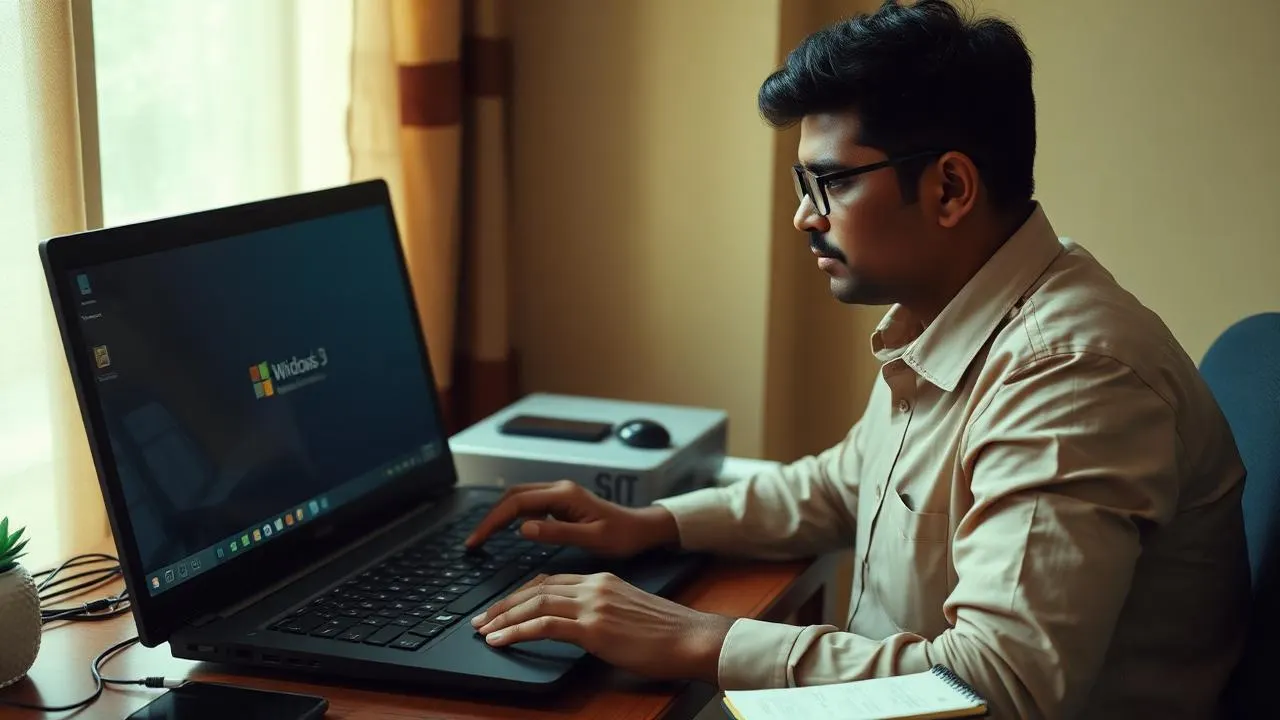
Top Software Installation Providers in Hyderabad
Loading providers…
Why Choose a Verified Software Installation Service?
Your data is backed up first
A verified technician takes a full backup and shows you the copied files before touching the disk. Unverified shop work often formats first and apologises later, and there is no way to undo that.
Genuine or properly licensed software
Pirated Windows and cracked Office are the number one source of adware, broken updates, banking trojans and activation failures. Verified professionals tell you the honest licence cost instead of hiding a crack inside the price.
Correct drivers from the manufacturer
Drivers pulled from random download sites bundle junk and cause crashes. A proper engineer installs chipset, graphics, Wi-Fi and audio drivers from the manufacturer support page for your exact model.
Hardware checked before the format
Many software symptoms are really a failing hard disk or overheating. A verified technician runs a SMART and temperature check first, so you do not pay for a reinstall that fixes nothing.
Accountability after the job
Verified professionals give a support window and answer the phone if the same problem returns within it. That single difference is worth more than the price gap.
Privacy you can rely on
Your machine holds bank statements, photos, invoices and passwords. Verified technicians work in front of you where possible, and state clearly that no data is copied or retained.
Why Choose FindService.in?
- Every technician profile is manually verified by our team before it goes live
- You contact the engineer directly — no call centre, no middleman, no commission
- Coverage across all major residential, commercial and IT areas of Hyderabad
- Compare experience, service area and specialisation before you call
- Remote support options for software-only issues, with onsite visits when needed
- Ask for a written quote with visit charge, labour, licence cost and support period
- Independent freelancers, small IT firms and full computer service shops in one place
- Free to use for customers, and free for genuine technicians to list their service
Common Software Installation Problems
Windows will not boot
Startup loops, automatic repair screens and 'no bootable device' errors usually come from corrupt boot files, a broken bootloader or a failing disk. A good technician attempts boot repair and data rescue before suggesting a format.
Frequent blue-screen crashes
Blue screens point at a driver conflict, bad RAM, disk errors or overheating. The stop code narrows it down in minutes, so ask the technician to read it instead of reinstalling blindly.
Computer has become very slow
Startup bloat, a nearly full disk, background adware, an old mechanical hard drive or thermal throttling all cause slowdowns. An SSD upgrade with cloning often does more than a fresh Windows install.
Windows not activated
Activation errors, watermarks and blocked personalisation usually mean the earlier install used a pirated or reused key. Fixing it properly means a genuine licence, not another crack.
Virus, adware and pop-ups
Browser hijackers, fake update banners and pop-ups from download sites are the most common infections. Cleanup involves removing the payload, resetting browsers and checking startup entries and scheduled tasks.
Ransomware and encrypted files
Files renamed with strange extensions and a ransom note mean the machine must be isolated immediately. Recovery depends on backups and shadow copies, so stop using the machine and call a professional.
Missing drivers after reinstall
No Wi-Fi, no sound, wrong screen resolution or a dead touchpad after a fresh install all mean drivers were skipped. The correct set comes from the laptop maker's support page for your model number.
Office or Tally will not open
Licence expiry, a broken installation, a corrupted data path or a Windows update conflict are the usual causes. Tally issues in particular need careful data-folder handling to avoid losing company books.
Printer or scanner not detected
USB driver mismatch, Windows printer-spooler faults, an IP change on a network printer or an unsupported driver after an OS upgrade are the common reasons behind 'printer offline'.
Outlook and email problems
Repeated password prompts, missing mail, oversized or corrupted PST files and failed IMAP settings are frequent after a reinstall. Always back up the mail data file before any repair.
Disk full or partition problems
A C-drive that fills up every week, unallocated space after a failed install, or a partition that disappeared all need careful handling — resizing a partition wrongly can lose everything on the disk.
Machine restarts or shuts down on its own
Overheating, a weak power supply, dust-clogged fans or faulty RAM are hardware causes that look like software faults. Reinstalling Windows will not fix them, so insist on a hardware check first.
Brands Commonly Serviced
Brand names are shown only to indicate the types of computers commonly serviced by technicians listed on FindService.in. We are not an authorised service centre for any brand and have no affiliation with these manufacturers. For in-warranty machines, always contact the official brand service centre first.
Where Software Installation Services Are Commonly Needed in Hyderabad
Service Types
Fresh Windows installation
Full clean install of Windows 10 or 11 with a verified data backup, disk health check, partition setup, genuine activation and complete driver installation, followed by Windows Update and basic security hardening.
OS repair without data loss
Startup repair, system file repair, bootloader rebuild and in-place upgrade repair that fixes the operating system while keeping installed programs and files where possible.
Dual-boot and Linux setup
Ubuntu, Fedora, Mint or other distributions installed alongside Windows with safe partitioning, working bootloader entries, Wi-Fi and graphics drivers and secure-boot handling.
Office and productivity setup
MS Office or Office 365 installation, account sign-in, OneDrive sync, default file associations and free-alternative setup where a licence is not needed.
Antivirus and security hardening
Installation and configuration of a reputable antivirus, browser cleanup, removal of unwanted extensions, firewall check, update settings and safe-browsing guidance for the whole family.
Virus and ransomware removal
Deep scan and manual removal of malware, adware, browser hijackers and crypto-miners, followed by startup, scheduled-task and browser resets and a verification scan.
Tally, GST and billing software
Installation and configuration of Tally, GST and shop-billing applications, licence activation, company-data migration, backup scheduling and multi-user setup on a small office network.
SSD upgrade and disk cloning
Migration of an entire Windows installation from a mechanical hard disk to an SSD using cloning, so all software, settings and data carry over without reinstalling anything.
Data backup and recovery support
Backup of documents, photos, browser data, email profiles and licence keys to an external drive or cloud, plus basic recovery attempts from a failing or accidentally formatted disk.
Developer environment setup
Python, Node.js, JDK, Git, Docker, WSL2, VS Code and database tooling installed and configured, with path variables, SSH keys and virtual environments working end to end.
Printer, network and peripheral setup
Printer, scanner, Wi-Fi router, shared folder and small-office network configuration, including static IPs for network printers and shared drives across multiple machines.
Remote software support
Secure screen-sharing support for problems that do not need a physical visit — software errors, settings, email configuration, licence activation and quick troubleshooting.
Areas Covered in Hyderabad
Verified software installation technicians on FindService.in cover homes, shops and small offices across Hyderabad, including Madhapur, Gachibowli, Kondapur, Hitech City, Kukatpally, Miyapur, Banjara Hills, Jubilee Hills and the surrounding neighbourhoods. Many offer onsite visits the same day and remote support within the hour for software-only problems, so ask about coverage and response time for your exact area before booking.
Factors Affecting Repair Cost
Type of installation
A plain OS install costs less than a rebuild that includes profile migration, Office, antivirus, printers and email configured exactly as they were before.
Data backup requirement
Backing up and restoring a large volume of photos, videos and project files takes hours of copying and verification, and that time is part of the price.
Genuine licence cost
A genuine Windows or Office licence is a separate purchase from the labour. Any quote far below the licence price almost certainly includes a pirated copy.
Onsite visit versus remote support
Remote support for software-only issues is cheaper than a technician travelling to your home, and distance across the city affects the visit charge.
Age and condition of the machine
Older machines need more time — slow disks, missing drivers for old hardware and legacy software all stretch the job well beyond a standard install.
Malware severity
A simple adware cleanup is quick. A deeply infected or ransomware-hit machine needs isolation, careful data rescue and verification, which costs considerably more.
Hardware work bundled in
An SSD or RAM upgrade, cleaning and thermal paste replacement done alongside the software work adds parts cost and labour, but is usually cheaper than two separate visits.
Number of machines
Offices and shops with several computers usually get a lower per-machine rate, especially when the same image and software set is used across all of them.
Urgency and timing
Same-day, late-evening, Sunday and emergency visits carry a premium in every Indian city, so book ahead where you can.
Post-service support period
Technicians who include a support window for repeat issues price slightly higher, and that is usually money well spent.
* All prices are set independently by each listed technician. FindService.in does not set, collect or guarantee prices. Always confirm the visit charge, labour, licence cost and support period in writing before work starts.
Maintenance Tips
- 1Keep an automatic backup running — an external drive or cloud sync makes every future software problem far less painful.
- 2Buy a genuine Windows and Office licence once instead of paying for repeated cleanups caused by cracked software.
- 3Install drivers only from the manufacturer's official support page for your exact model number.
- 4Leave at least 15 to 20 percent of your C drive free so Windows updates and temporary files have room.
- 5Install a single reputable antivirus, not three — multiple security tools conflict and slow the machine badly.
- 6Review browser extensions every few months and remove anything you did not deliberately install.
- 7Avoid software from crack, torrent and 'free download' sites; they are the most common source of infections.
- 8Restart the computer at least twice a week so pending updates finish installing properly.
- 9Get fans and heatsinks cleaned once a year — overheating causes crashes that look exactly like software faults.
- 10Note down your licence keys and account recovery details and store them somewhere safe, not on the same machine.
- 11Turn on two-factor authentication on your email and cloud accounts before something goes wrong.
- 12Ask the technician to create a recovery drive and a system restore point after any fresh installation.
Repair or Replace?
Before agreeing to a full format, ask whether the problem is genuinely a software problem. Boot errors, blue screens and severe slowness often come from a failing hard disk, weak RAM or overheating, and reinstalling Windows on a dying drive simply produces the same crash a week later. As a rough rule: repair the software when the disk health report is clean and the machine performs well once cleaned up; upgrade the hardware — usually an SSD and more RAM — when the machine is otherwise sound but slow; and consider replacing the computer when it is more than seven or eight years old, cannot run a supported version of Windows, and the cost of upgrades plus licences approaches the price of a modern entry-level machine. A verified technician will tell you which of these three applies before quoting.
How to Choose the Right Technician
- 1Ask for a data backup before anything is formatted, and ask to see the backed-up files.
- 2Confirm whether the quote includes a genuine licence or only the installation service.
- 3Ask for a disk health and temperature check before agreeing to a reinstall.
- 4Get the visit charge, labour, licence cost and support period in writing on WhatsApp.
- 5Check that drivers will come from the manufacturer's official support site.
- 6Ask how long the machine will be unavailable and whether the work happens at your home.
- 7For business machines, confirm experience with Tally, GST or your specific application.
- 8Ask what happens if the same fault returns within the support window.
- 9Avoid anyone who quotes a suspiciously low price that clearly cannot cover a licence.
- 10Read profile details and prefer technicians who list your area and answer questions clearly.
Services Offered
- Windows 10 and Windows 11 installation with genuine licence activation
- Fresh OS install with full data backup taken and verified beforehand
- Linux installation and Windows-Linux dual-boot configuration
- macOS reinstall, recovery-mode setup and migration assistance
- Complete driver installation — chipset, graphics, Wi-Fi, audio, touchpad and printer
- MS Office, Office 365 and free alternative office-suite installation
- Antivirus and internet-security installation, configuration and licensing
- Virus, malware, adware and ransomware removal with post-clean verification
- Tally, GST, billing and accounting software installation with data migration
- Printer, scanner and multifunction device setup, including network sharing
- Email and Outlook configuration, PST backup, repair and mailbox migration
- Cloud backup and automatic scheduled backup setup
- SSD upgrade with disk cloning so nothing has to be reinstalled
- Boot repair, startup repair, bootloader rebuild and partition recovery
- Blue-screen, freezing and slow-performance troubleshooting
- Developer environment setup — Python, Node, JDK, Docker, WSL and Git
- Software licence activation, renewal and genuine-key guidance
- Remote support over secure screen sharing for software-only problems
- Data wipe and secure erase before selling or handing over a device
- Home and small-office network, Wi-Fi and shared-folder configuration
Frequently Asked Questions
How much does Windows installation cost in Hyderabad?
Charges vary by technician and by what is included. A plain OS install with drivers is the base rate, while a full rebuild with data backup, Office, antivirus, printer and email configuration costs more. A genuine Windows licence is a separate cost from labour. Ask two or three verified technicians for a written breakdown covering visit charge, labour, licence and support period.
Will I lose my data during a Windows reinstall?
Not if it is done properly. A verified technician backs up documents, photos, desktop files, browser data, email profiles and licence keys to an external drive and shows you the copy before formatting. Never allow a format to begin until you have personally seen the backup.
Is pirated Windows really a problem?
Yes. Cracked copies commonly carry adware and banking trojans, break Windows Update, fail activation later and cannot receive proper security patches. Over a few years the cleanups cost more than a genuine licence would have.
Can the technician work remotely instead of visiting?
Many software-only issues — licence activation, email setup, driver installation, settings and light troubleshooting — can be handled over secure screen sharing. Fresh OS installations, boot failures and any hardware work need an onsite visit or workshop time.
How long does a full software setup take?
A clean Windows install with drivers and updates typically takes two to four hours. Add time for data backup and restore, Office and antivirus setup, and email and printer configuration. Large data backups can extend the job to most of a day.
My computer is slow. Will reinstalling Windows fix it?
Sometimes, but not always. If the machine still uses a mechanical hard disk, an SSD upgrade with cloning gives a far bigger improvement than a reinstall. If it overheats or the disk is failing, software work alone will not help. Ask for a disk health and temperature check first.
Can I install Linux alongside Windows?
Yes. Dual-boot setups with Ubuntu, Fedora or Mint are common, especially among developers and students. It needs careful partitioning and bootloader handling, so it is worth having a technician who has done it many times before rather than experimenting on your only machine.
Can old Tally data be moved to a new installation?
Yes, when the company data folder is intact. The technician copies the data directory, installs the correct Tally version, restores and verifies the books, and sets up an automatic backup. Always confirm your books open correctly before the technician leaves.
What should I do if I have ransomware?
Disconnect the machine from the internet and the network immediately, do not pay anything, and do not keep using it. Call a professional the same day. Recovery depends on backups and available shadow copies, and every hour of continued use reduces the chance of getting files back.
Do I need antivirus if Windows Defender is built in?
Windows Defender is genuinely good for most home users when Windows is genuine and updates are working. Paid suites add extras like web filtering, ransomware folder protection and parental controls. What matters far more is avoiding cracked software and unknown download sites.
Do these technicians cover my area in Hyderabad?
Each verified profile lists the areas that technician covers across Hyderabad. Filter for your locality, check the coverage list, and confirm the travel or visit charge for your exact address before booking — some technicians serve the whole city, others focus on a few neighbourhoods.
How do I make sure my data stays private?
Ask the technician to work in front of you wherever possible, confirm in writing that no data will be copied or retained, change important passwords after any deep cleanup, and log out of cloud accounts before handing over a machine for workshop work.
Related Articles
How to Speed Up a Slow Laptop Without Replacing It
Learn how to speed up a slow laptop without buying a new one. From disk cleanup to SSD upgrades, these proven fixes restore speed in under an hour.
Repair & TroubleshootingSSD vs HDD Upgrade for Laptops: Which Is Better in 2026
SSD vs HDD upgrade for laptops — speed, lifespan, price and which one is right for your laptop in 2026. Honest comparison with upgrade tips.
Repair & TroubleshootingDesktop Computer Repair Guide — DIY Fixes & Tips
Complete guide to desktop computer repair. Learn to fix common issues like boot failures, slow performance, overheating, and hardware upgrades.
Repair & Troubleshooting7 Laptop Maintenance Tips to Avoid Costly Repairs
Follow these 7 simple laptop maintenance tips to prevent costly repairs, extend battery life and keep your laptop fast for years.
Are you a computer technician or IT support professional in Hyderabad?
FindService.in lists verified computer engineers, IT support technicians, freelance software specialists and computer service shops across Hyderabad. Listing is free, customers call you directly, and there is no commission on any job you complete.
- Direct customer calls. Enquiries reach your phone and WhatsApp directly — no lead resale, no bidding, no call centre in between.
- Zero commission. You keep the entire amount you charge. We never take a cut of your work.
- Verified badge. A manually verified profile builds trust far faster than an anonymous listing on a classifieds site.
- Area-level visibility. Appear on the Hyderabad pages for the localities you actually serve, so you get relevant nearby jobs.
Need software installation or virus removal in Hyderabad today?
Browse verified computer technicians and IT support professionals serving your area of Hyderabad, compare their experience and coverage, and contact them directly by phone or WhatsApp. Describe the problem, confirm whether a data backup is included, agree the charge and licence cost in writing, and get your machine working again — with no middleman and no commission.
Explore More
Other services in Hyderabad
Software Installation in other cities
- Software Installation in Bangalore
- Software Installation in Chennai
- Software Installation in Mumbai
- Software Installation in Delhi
- Software Installation in Kolkata
- Software Installation in Pune
- Software Installation in Ahmedabad
- Software Installation in Jaipur
- Software Installation in Lucknow
- Software Installation in Chandigarh
- Software Installation in Kochi
- Software Installation in Coimbatore
Browse All Services in Hyderabad
Pick another category to find trusted local providers across Hyderabad.