
Printer Repair in Mumbai
Looking for a reliable printer repair service in Mumbai? FindService.in connects you directly with verified printer technicians, independent service engineers and small IT service firms who repair inkjet, ink-tank, laser, multifunction, dot-matrix, thermal and label printers across Andheri East, Andheri West, Bandra, Khar, Santacruz, Vile Parle, Goregaon, Malad, Kandivali, Borivali, Dahisar, Jogeshwari and every other major locality in Mumbai. A printer rarely fails without warning. It jams every third page, pulls two sheets at once, prints faded or streaked pages, shows offline when it is plainly switched on, refuses to recognise a cartridge you just installed, or makes a grinding noise as the carriage moves. Each of those symptoms points at a specific part — a roller, a printhead, a drum, a fuser, a sensor or the formatter board — and the difference between a small repair and an expensive one is almost always how quickly the right part is identified. Mumbai runs printers at a pace that few cities match. Fort, Nariman Point, Lower Parel, Worli and BKC are full of law firms, CA practices, brokerages and corporate offices where a departmental laser or multifunction copier prints thousands of pages a month and an hour of downtime holds up filings. Andheri, Goregaon and Malad have production houses, studios and agencies printing scripts, schedules and artwork. Dadar, Chembur, Ghatkopar, Kurla and Borivali are dense with distributors, shops, clinics and society offices where a small laser handles billing, challans and notices, and Thane, Vashi, Nerul and Airoli mix large residential setups with small offices. Local conditions shape the failures. Humidity and salt air soften paper and corrode sensor and cartridge contacts, so jams and 'cartridge not detected' errors spike through the monsoon. Space is the second factor: printers here are typically squeezed into cupboards, onto shelves or under counters with no clearance, which traps heat, blocks the paper path and makes routine servicing harder. Dust from road and construction work, and the sheer duty cycle in commercial offices, means rollers and fusers wear out far sooner than the manual suggests. Given Mumbai traffic, hauling a multifunction machine to Lamington Road is rarely worth it — most verified technicians listed here work on-site across the western line, the central line, the island city and Navi Mumbai. Every technician listed on this page is manually verified by our team — no middleman, no call centre and no commission cut by FindService.in. You compare profiles, see how long each professional has been working and which parts of Mumbai they cover, and contact them directly by phone or WhatsApp to describe the fault, share the model number and any error code, get an honest diagnosis and agree a price before anything is opened. Before you confirm a booking, ask three questions: will the machine be diagnosed before any part or cartridge is replaced; is the consumable being quoted genuine OEM, compatible or refilled; and what warranty covers the part and the labour. Those three answers separate a professional repair from a cartridge-swapping guess.
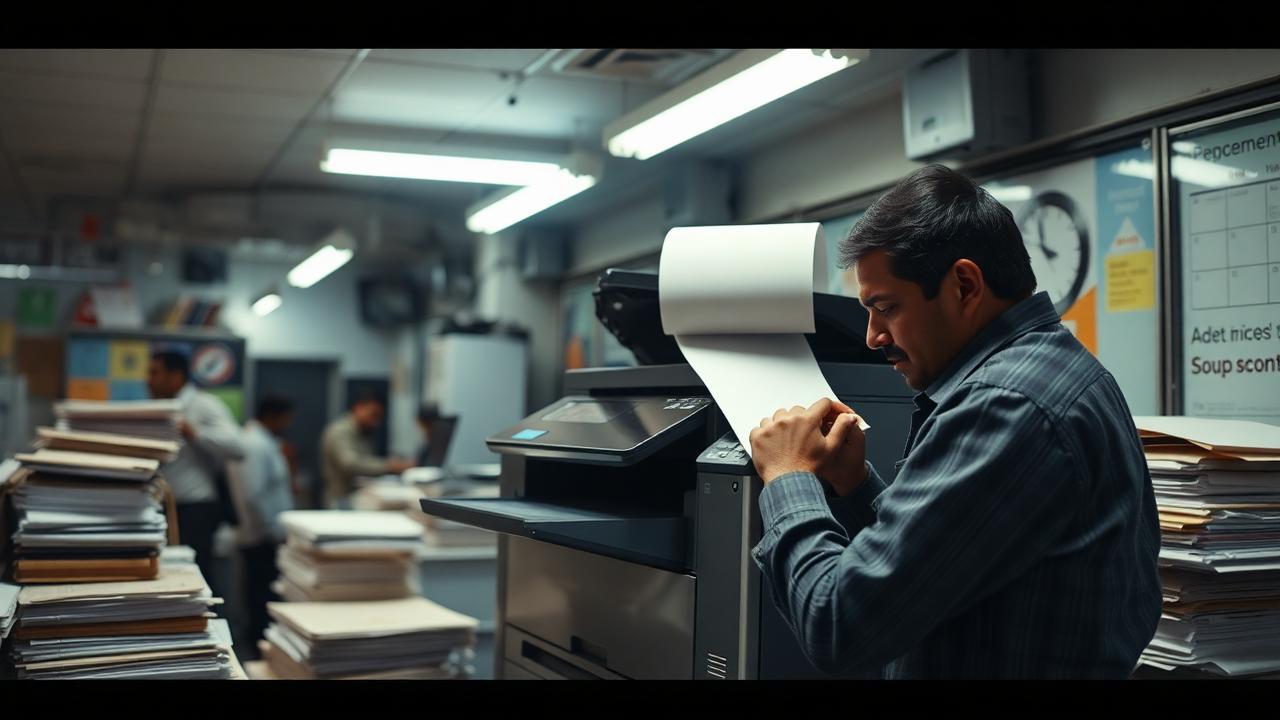
Top Printer Repair Providers in Mumbai
Loading providers…
Why Choose a Verified Printer Repair Service?
Verified, contactable technicians
Every listing is manually checked, so you deal with a real local printer engineer rather than a lead-selling call centre.
Diagnosis before quoting
A verified professional identifies the actual fault first — roller, printhead, fuser or board — instead of pushing a new cartridge at every problem.
Genuine consumables
Ask for OEM, compatible or refilled status in writing; verified providers state it clearly and stand behind the print quality.
Warranty on parts and labour
Serious technicians give a written warranty on the spare supplied and on the work performed.
Your documents stay private
A professional handles stored scan and print jobs responsibly and clears device memory before a machine leaves your premises.
Doorstep or workshop, your choice
Most printer faults are fixed at your desk; only board and fuser work goes to the bench, and you are told which is which.
Honest repair-or-replace advice
A good technician tells you when a printhead replacement costs more than the printer instead of selling you the repair anyway.
Direct contact, no middleman
Call or WhatsApp the provider yourself — FindService.in charges no booking fee and takes no commission.
Why Choose FindService.in?
- Manually verified printer repair technicians in Mumbai
- Direct phone & WhatsApp contact — no call centre
- No booking fee, no lead reselling, no commission
- Compare multiple technicians free of cost
- Home users, shops, clinics and corporate offices
- Coverage across every major locality in Mumbai
- Doorstep service and office AMC options
- Local language support
Common Printer Problems
Repeated paper jams
Worn or glazed pickup rollers, damp paper, a torn separation pad or a scrap of paper stuck in the path cause jams on almost every print.
Faded, streaky or banded prints
A clogged printhead on inkjets, or low toner, a worn drum and a failing fuser on lasers, all produce light, patchy output.
Lines, smudges and ghosting
Vertical lines usually mean a scratched drum or dirty laser scanner glass; smudging points to a fuser that is no longer bonding toner properly.
Printer not turning on
A failed power supply board, a damaged adapter, a burnt fuse after a surge, or a dead power switch stops the machine dead.
Cartridge not recognised
Corroded chip contacts, an incompatible refill, a firmware update or a failed cartridge sensor produce this error even with a full cartridge.
Printer offline or not detected
Driver corruption, a stuck print spooler, a changed IP address or Wi-Fi dropout leaves the printer showing offline on every computer.
Printer pulls no paper
A glazed pickup roller, an empty-tray sensor failure or a broken pickup solenoid means the machine tries to print but never grabs a sheet.
Grinding or clicking noise
Worn gears, a foreign object in the paper path, a failing carriage belt or a seized fan produce distinctive mechanical noises.
Very slow printing
Wrong quality settings, a full spooler queue, low memory, weak Wi-Fi or a duplex unit problem slow every job down significantly.
Scanner or copy not working
A locked scanner carriage, a dirty glass strip, a failed CIS unit or an ADF pickup problem breaks copying while printing still works.
Ink leaking or ink tank problems
Overfilling, a broken damper, air in the ink lines or a cracked tank causes leaks, colour mixing and blotchy pages.
Error codes and blinking lights
Fuser errors, laser scanner faults, waste-toner-full warnings and formatter faults show as blinking patterns or numbered codes.
Where Printers Are Serviced in Mumbai
Service Types
Doorstep printer diagnosis
A technician comes to your home or office, identifies the fault and gives a clear quote before any part or consumable is replaced.
Paper jam and feed repair
Full paper-path cleaning, pickup and separation roller replacement, sensor cleaning and feed-mechanism correction.
Inkjet and ink-tank service
Printhead cleaning and unclogging, damper and ink-line servicing, tank priming, leak repair and quality calibration.
Laser printer service
Toner and drum replacement, fuser servicing, transfer roller replacement, waste toner clearing and full print-quality restoration.
Toner and cartridge refilling
Professional refilling with quality-tested toner or ink, chip resetting where applicable and a test-print check before handover.
Print quality troubleshooting
Fixing lines, streaks, ghosting, smudging, colour casts and faded output at the source rather than swapping consumables blindly.
Board and electronics repair
Formatter, logic and power-supply board diagnosis and component-level repair where a replacement board is uneconomical.
Scanner, copier and ADF repair
Scanner carriage, glass, CIS module and automatic document feeder repair on multifunction machines and copiers.
Network and Wi-Fi printer setup
Static IP assignment, shared printing across multiple computers, mobile and cloud printing, and scan-to-email configuration.
Driver and software support
Driver reinstallation, print spooler repair, offline-status fixes and compatibility setup after Windows or macOS updates.
Specialised printer service
Dot-matrix, thermal receipt, barcode and label printer repair for shops, pharmacies, logistics and billing counters.
Office AMC and bulk support
Annual maintenance contracts covering several printers with scheduled servicing, priority response and consumable planning.
Areas Covered in Mumbai
Verified printer repair technicians listed on FindService.in cover home printers, shop billing counters, clinics and corporate offices right across Mumbai, including Andheri East, Andheri West, Bandra, Khar, Santacruz, Vile Parle, Goregaon, Malad, Kandivali, Borivali. Coverage, doorstep availability and same-day slots vary by provider, so confirm your locality, your printer's brand and model number and the symptoms or error code you are seeing when you enquire.
Factors Affecting Repair Cost
Printer type and class
A home inkjet, an ink-tank all-in-one, an office laser and a departmental multifunction copier sit at very different service price points.
Which part has failed
A roller or pickup solenoid is a small job; a fuser assembly, printhead or formatter board is a far larger spend.
OEM, compatible or refilled consumables
Genuine cartridges cost the most and give the most predictable yield; compatibles and refills cost less with more variation.
Software-only work
Driver reinstallation, spooler repair, offline fixes and network setup are labour-only jobs quoted separately from hardware.
Colour vs monochrome
Colour lasers have four toners, four drums and a transfer belt, so both servicing and consumables cost more than mono machines.
Monthly print volume
High-duty office machines need more frequent roller and fuser attention, which changes both service frequency and AMC pricing.
Doorstep visit vs workshop
On-site visits may carry a call-out charge, often adjusted against the repair; workshop jobs avoid it but need the machine moved.
Spare-part availability
Common HP, Canon, Epson and Brother spares are quick and cheap; discontinued models can mean longer waits and higher part costs.
Urgency and turnaround
Same-day, weekend and after-hours attendance for business-critical printers usually carries a premium over routine booking.
Number of machines
Offices servicing several printers together, or on an AMC, generally get a lower effective rate per machine.
Costs vary with printer type, the failed part, consumable grade, repair method and turnaround. Always get a written quote after diagnosis — never before — and confirm the warranty on both parts and labour.
Maintenance Tips
- 1Print at least a few pages every week — idle inkjet and ink-tank printheads clog faster than they wear out
- 2Store paper sealed and in a cupboard, not on an open shelf, so it does not absorb moisture and cause jams
- 3Fan the paper stack before loading, and never top up a partly used tray with fresh sheets
- 4Use the correct GSM paper for your machine, and avoid re-using single-side printed sheets in a laser printer
- 5Get pickup and separation rollers cleaned annually — glazed rollers are the top cause of misfeeds
- 6Never pull jammed paper backwards; pull gently in the direction of paper travel to avoid tearing gears and sensors
- 7Switch the printer off using its own power button, not the wall socket, so the printhead parks and capped correctly
- 8Keep the printer on a stable surface with clearance at the back and sides for ventilation and the rear paper path
- 9Use a surge protector or UPS — power spikes damage formatter boards and power supplies
- 10Clean the scanner glass and ADF rollers with a soft lint-free cloth so copies and scans stay clear
- 11Do not run a cartridge until it is completely empty on a laser; prolonged low toner damages the drum
- 12Note your printer's exact model number so a technician can carry the right spares to the first visit
Repair or Replace?
Repair or replace? For most printers in Mumbai the answer is repair, because a printer is a mechanical device whose wear parts — rollers, separation pads, fusers, transfer rollers and drums — are designed to be replaced while the chassis and print engine carry on for years. A laser printer that jams constantly or prints faded pages is almost always worth servicing: new rollers, a fresh drum and a fuser service typically cost a fraction of a new machine and buy several more years of reliable printing. Ink-tank printers are similarly worth repairing, because their running cost per page is so much lower than cartridge machines that replacing one with a cheap inkjet is a false economy. Replacement becomes the sensible choice in a few clear cases. First, when the printhead has failed on a cartridge-based inkjet, because a replacement head often costs close to the price of a new printer. Second, when the model is old enough that cartridges, drums or fusers are no longer easily available, which turns every future fault into a long wait. Third, when the repair estimate crosses roughly half the cost of an equivalent new machine, particularly on entry-level home printers. Fourth, when the machine is simply the wrong class for your usage — a home inkjet being asked to print a thousand pages a month will keep failing, and a basic mono laser will be cheaper within a year. Ask the technician what the machine will realistically do after the proposed work and roughly how much life is left in the remaining wear parts. If the honest answer is 'it will run, but the fuser is next', put the money towards the right machine instead.
How to Choose the Right Technician
- 1Ask for a diagnosis and a clear quote before any part or cartridge is replaced
- 2Confirm whether consumables offered are genuine OEM, compatible or refilled, and get it stated on the bill
- 3Insist on a written warranty covering the spare supplied and the labour
- 4Ask whether the fault can be fixed at your home or office, or whether the machine must go to a workshop
- 5Ask for a test print or copy before payment so print quality is verified in front of you
- 6Ask for the old part back when it is replaced — a genuine technician has no problem with this
- 7Check the technician's experience with your exact brand and model: HP, Canon, Epson, Brother, Samsung or Ricoh
- 8Get the total cost including visit charge, parts, labour and taxes confirmed on WhatsApp before work starts
- 9Compare two or three verified providers for expensive items like a fuser assembly or a printhead
- 10For offices, ask about AMC options, response-time commitments and per-page cost arrangements
Services Offered
- Printer diagnosis and fault finding
- Paper jam clearing and paper-path cleaning
- Pickup and separation roller replacement
- Printhead cleaning, unclogging and replacement
- Ink tank setup, priming and refilling
- Toner cartridge refilling and replacement
- Drum unit and developer replacement
- Fuser assembly repair and replacement
- Formatter and logic board repair
- Print quality repair (lines, streaks, faded, smudged output)
- Cartridge not recognised and chip error fixes
- Scanner, ADF and copier unit repair
- Wi-Fi, network and shared printer setup
- Driver installation and print spooler errors
- Mobile and cloud printing setup
- Laser, inkjet, ink-tank, dot-matrix and thermal printer service
- Barcode, label and receipt printer service
- Multifunction printer (MFP) and copier service
- Office AMC and bulk printer support
- Preventive maintenance and annual servicing
Frequently Asked Questions
How much does printer repair cost in Mumbai?
There is no single rate, because the cost depends on the machine and on what has actually failed. Software work — driver reinstallation, spooler repair, an offline printer, Wi-Fi and shared-printing setup — is a labour-only charge. Cleaning the paper path and replacing a pickup roller is a small parts-plus-labour job. Toner, drum and ink consumables are priced by brand, yield and whether you choose genuine OEM, compatible or refilled. A fuser assembly, a printhead or a formatter board is a much larger spend, and on a colour laser everything costs more because there are four toners, four drums and a transfer belt. What matters more than a headline rate is the sequence: insist on a diagnosis first, ask specifically which part has failed and why, confirm whether the consumable quoted is OEM or compatible, and get parts, labour, visit charge and warranty confirmed in writing before work starts. Consumable and spare prices in Mumbai track the Lamington Road and Vashi markets; confirm whether the cartridge, drum or fuser is genuine OEM, compatible or refilled, and get the page-yield expectation and warranty stated on the bill.
Why is my printer printing faded or streaky pages?
The cause depends on the technology. On an inkjet or ink-tank printer, faded and banded output almost always means a partially clogged printhead, usually because the machine sat unused for weeks — the fix is a proper cleaning cycle, and in stubborn cases a manual printhead soak rather than repeated automatic cleans, which only waste ink. Air in the ink lines and a failing damper produce the same symptom on ink-tank models. On a laser printer, faded output typically means low toner, poorly distributed toner in a refilled cartridge, a worn drum losing its coating, or a fuser that is no longer bonding toner to the page. Vertical lines usually indicate a scratched drum or dirty laser scanner glass; horizontal repeating marks point to a damaged roller. A technician should identify which of these it is before selling you a cartridge, because replacing a cartridge when the drum or fuser is the problem simply repeats the fault a week later.
How long does a printer repair usually take?
Most jobs are quick. Clearing a jam and cleaning the paper path takes about half an hour. Roller replacement, toner and drum changes and cartridge problems are usually done within an hour. Printhead cleaning on an inkjet or ink-tank machine typically takes one to two hours because the cleaning cycles and test prints need time, and a stubborn clog needing a manual soak can take longer. Driver, network and shared-printing setup takes under an hour for a single machine, more if several computers must be configured. Bench work is slower: a fuser assembly replacement, a formatter or power-board repair or a scanner unit replacement is usually one to three days depending on spare availability, and longer for discontinued models. If the printer is business-critical, say so when booking — many providers listed here offer same-day and priority attendance for offices, clinics and billing counters.
Should I use genuine cartridges or refilled ones?
Both have a place, and an honest technician will tell you which suits your usage. Genuine OEM cartridges give the most consistent print quality and predictable page yield, and they are the safer choice for colour-critical work, for machines still in warranty, and for printers you rely on daily. Good-quality compatible cartridges cost significantly less and work well for routine text printing in shops and offices, provided you buy from a reliable source. Refilling is the cheapest option and is genuinely economical for high-volume mono laser printing, but only when it is done properly — the drum should be inspected, the waste chamber cleared, quality toner used and the chip handled correctly. Poor refills are the most common cause of the smudging, background shading and 'cartridge not recognised' complaints technicians see. The one thing to avoid entirely is very cheap ink or toner of unknown origin, because a clogged printhead or a damaged drum costs far more than the saving.
Why does my printer say it is offline when it is switched on?
This is one of the most common service calls and it is almost never a hardware failure. The usual causes are a stuck Windows print spooler, a corrupted or outdated driver after a Windows or macOS update, the printer's IP address changing when the router reassigns it, the machine dropping off a 5GHz Wi-Fi band it does not support, or the 'Use Printer Offline' setting getting switched on by accident. A technician will typically clear the spooler queue, reinstall a clean driver from the manufacturer, assign the printer a static IP or a DHCP reservation on the router so its address stops changing, and confirm it is on the correct 2.4GHz network. For offices, they will also set the printer up as a shared network device so all computers reach it directly instead of through one host machine. It is generally a single-visit fix, and once a static IP is set the problem rarely returns.
Do technicians repair all printer brands and types?
Yes. Verified providers listed here service the full range of common machines: HP, Canon, Epson, Brother, Samsung, Ricoh, Kyocera, Xerox, Konica Minolta, Panasonic and TVS. That covers home inkjets, ink-tank all-in-ones, mono and colour laser printers, multifunction printers and copiers, dot-matrix printers still used for multi-part invoices, thermal receipt printers at billing counters, and barcode and label printers used in retail and logistics. Older and discontinued models can usually be repaired too, though spare-part availability may add a day or two and occasionally makes replacement the more sensible option. When you enquire, share the exact model number printed on the front or back of the machine along with the symptom and any error code shown — that lets the technician carry the likely spare on the first visit rather than making a second trip.
Can printers be serviced under an annual maintenance contract?
Yes, and for any office running more than two or three machines an AMC usually works out cheaper and far less disruptive than calling for each breakdown. A typical contract covers scheduled preventive servicing, paper-path and roller cleaning, priority response within an agreed time, labour on covered repairs, and sometimes consumables on a per-page basis. Comprehensive contracts include toner and spares; non-comprehensive ones cover labour and visits only, with consumables billed separately. When comparing offers, look closely at four things: the response-time commitment, whether a standby machine is provided if yours goes to the workshop, exactly which parts are excluded — fuser assemblies and formatter boards often are — and how the per-page rate is calculated if it is a cost-per-page deal. Several providers listed here offer AMCs for offices, clinics, schools and retail chains.
Is it safe to let a technician handle my printer if it stores documents?
It is a fair concern for multifunction machines in offices, because many store scanned and printed jobs in internal memory or on a hard drive. Before a machine leaves your premises for workshop repair, ask the technician to clear the job memory and, on models that support it, run the built-in secure erase or disk-overwrite function. If the printer holds a hard drive and the fault is unrelated to it, ask whether the drive can be removed and retained by you until the machine returns. Also disconnect it from your network before it goes, and remove any saved email or cloud credentials used for scan-to-email. For faults fixed on-site none of this applies, which is another reason to prefer doorstep repair where possible. Verified providers on FindService.in are used to these requests from CA firms, clinics and corporate offices and should have no hesitation in agreeing to them.
What should I do first when my printer stops working?
Work through a short checklist before you call, because it often saves a visit. Switch the printer off, unplug it from the wall for a full minute and power it back on — this clears a surprising number of stuck states and phantom errors. Check the tray for a jammed or torn sheet and remove it gently in the direction of paper travel. Look at the display or the light pattern and note the exact error code. Check that the cartridge is seated properly and that all packing tape is removed if it is new. Try printing from a different computer or phone to work out whether the problem is the printer or the driver. Note the model number and how many pages the machine prints in a month. When you then call a verified technician with the model, the error code and what you have already tried, they can usually tell you over WhatsApp whether it is a five-minute fix or a job needing a spare, and carry the right part on the first visit.
Can a printer be repaired at my home or office in Mumbai?
In most cases yes, and in Mumbai that matters more than elsewhere because moving a heavy multifunction printer across the city in traffic can cost you most of a working day. Doorstep visits comfortably cover jam clearing and paper-path cleaning, pickup and separation roller replacement, printhead cleaning and ink-tank priming, toner and drum unit replacement, cartridge recognition and chip errors, print-quality problems such as lines, streaks and faded output, driver reinstallation, scanner and ADF cleaning, and Wi-Fi or network printer setup for multiple users. What generally needs a workshop is formatter and logic board repair, fuser assembly rebuilds, laser scanner unit replacement and serious gear-train damage. Many providers listed here cover the western suburbs, the central line, the island city and Navi Mumbai, and offer same-day and priority slots for offices where printing is business-critical. When booking, mention your building's access rules, whether there is a service lift, and the exact model so the technician can carry the likely spares.
Related Articles
Printer Troubleshooting Guide — Fix Common Issues Fast
Fix common printer problems with this troubleshooting guide. Covers paper jams, print quality issues, connectivity problems, and more.
Repair & TroubleshootingDesktop Computer Repair Guide — DIY Fixes & Tips
Complete guide to desktop computer repair. Learn to fix common issues like boot failures, slow performance, overheating, and hardware upgrades.
Repair & TroubleshootingHow to Speed Up a Slow Laptop Without Replacing It
Learn how to speed up a slow laptop without buying a new one. From disk cleanup to SSD upgrades, these proven fixes restore speed in under an hour.
Repair & TroubleshootingLaptop Wi-Fi Not Working? Easy Fixes & Solutions
Laptop Wi-Fi not working? Learn the common causes, driver fixes, network resets and hardware checks to reconnect your laptop in minutes.
Design & BusinessHow to Start a Small Business in India — Beginner's Guide
Step-by-step guide to starting a small business in India. Covers registration, licenses, funding options, digital presence, and growth tips.
Design & BusinessFree Business Listing: Get More Local Customers
Get a free business listing on FindService.in and reach local customers searching for your services across Hyderabad, Bangalore, Chennai and more.
Are You a Printer Repair Technician in Mumbai?
List your printer service business free on FindService.in and reach home users, shops, clinics and offices across Mumbai who are searching right now for a technician who can get their machine printing again today.
- Verified business profile. Manual verification builds trust with customers who are cautious about who services their office equipment.
- Direct enquiries. Customers call or WhatsApp you directly — no lead reselling and no revenue share.
- Show your specialisation. Highlight laser and MFP service, chip-level board repair, refilling, AMC support or doorstep visits.
- Cover the areas you serve. List the localities you actually travel to so the enquiries you get are ones you can attend.
Need a Printer Repaired in Mumbai Today?
Compare verified Mumbai printer repair technicians, get a proper diagnosis before any part or cartridge is replaced, and agree the price and warranty upfront over phone or WhatsApp.
Explore More
Other services in Mumbai
Printer Repair in other cities
- Printer Repair in Hyderabad
- Printer Repair in Bangalore
- Printer Repair in Chennai
- Printer Repair in Delhi
- Printer Repair in Kolkata
- Printer Repair in Pune
- Printer Repair in Ahmedabad
- Printer Repair in Jaipur
- Printer Repair in Lucknow
- Printer Repair in Chandigarh
- Printer Repair in Kochi
- Printer Repair in Coimbatore
Browse All Services in Mumbai
Pick another category to find trusted local providers across Mumbai.